Know where every shilling went, every single day.

ZapTill runs your tills, kitchen and M-Pesa — through internet and power cuts — closes your day in minutes, tells you who was short, and sends you the numbers before you sleep.

Built in Kenya. M-Pesa and KES from the first day. We set it up and train your staff.

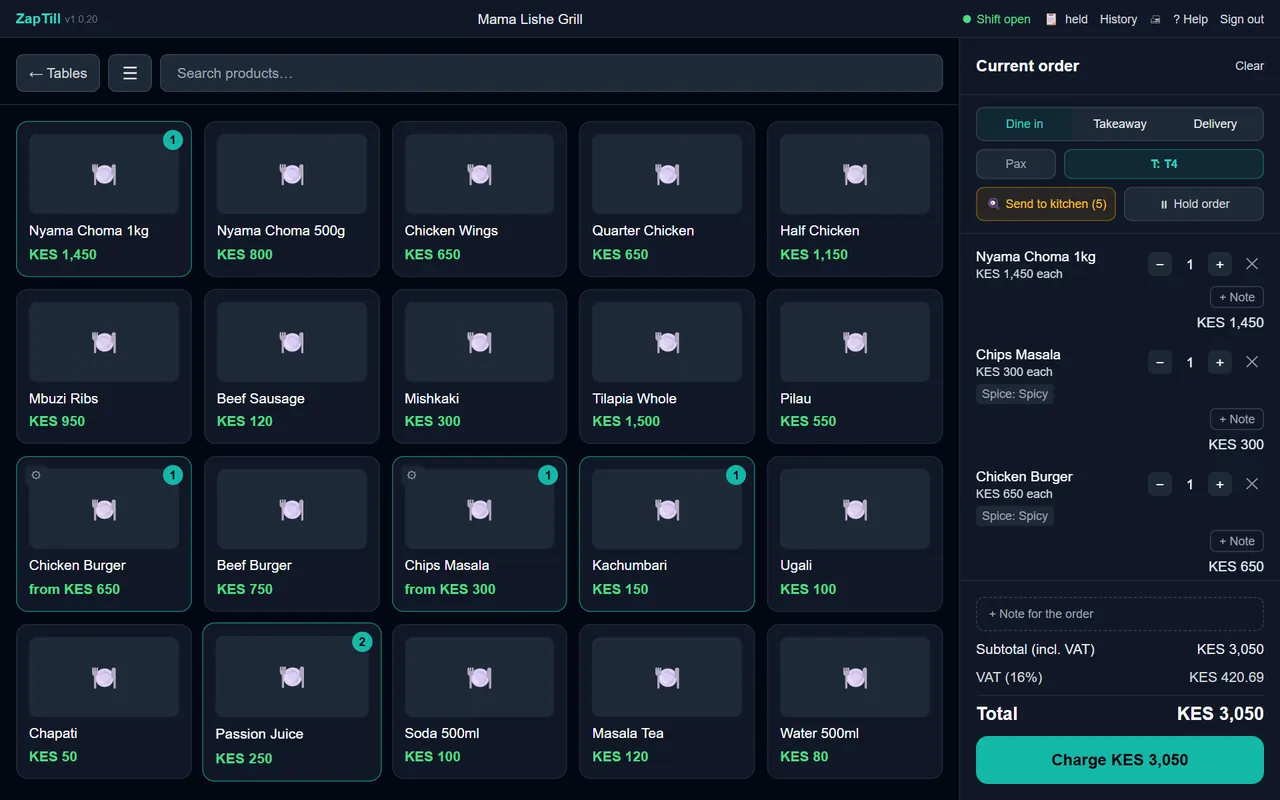
The real ZapTill till on a demo restaurant: menu buttons on the left, Table 4's order on the right, total KES 3,050.

Trusted by restaurants, bars and shops in Kenya.

Close the day in minutes, and know who was short.

Each cashier counts their drawer. ZapTill shows what should be there, what was counted and the difference, name by name, with their M-Pesa total next to it. The shift is confirmed and the branch is closed, from the till or from the web.

No more adding up receipts at midnight. No more guessing.

When the internet goes, your tills don't.

Every till keeps selling and printing with no internet. A branch server keeps all the tills in the shop in step with each other. When the line comes back, everything catches up by itself, and nobody has to do anything.

See a lunch rush with no internet

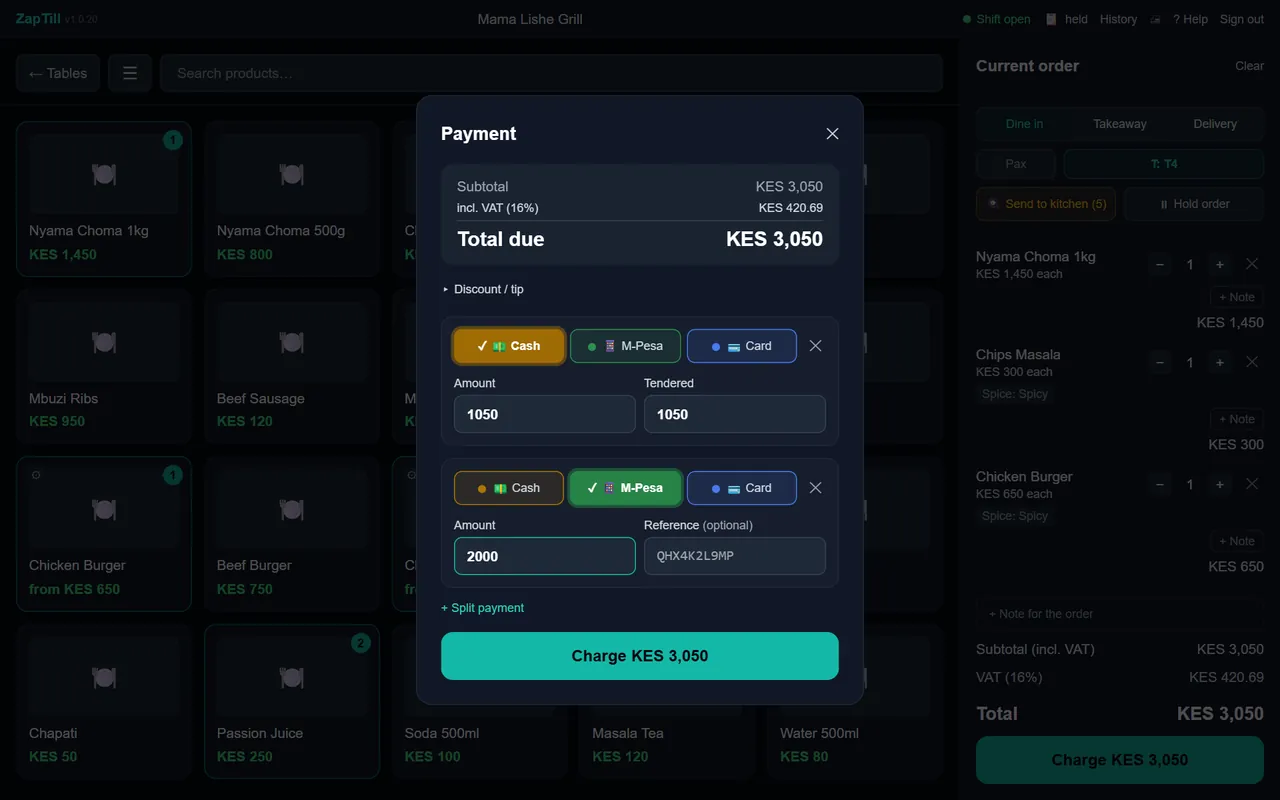
The real ZapTill till taking payment for Table 4: KES 1,050 cash and KES 2,000 M-Pesa.

The kitchen gets the order. The customer gets your M-Pesa number.

Orders go straight to the kitchen printer or the kitchen screen, with the variant on the same line, so the cook reads "Chips masala - Spicy" and gets on with it.

Your Buy Goods or Paybill number prints large on every receipt. Part M-Pesa, part cash? Split it at the till.

Run your business properly, even when you're not there.

Every branch sits on one web dashboard that opens on your phone, for one cloud fee however many branches you have. A summary of the day arrives by email: sales, top sellers, who was short and what is running low.

Your partner and your accountant get their own logins, so nobody needs your password.

Friday, 12:40. The lunch rush. The internet goes.

Here is what happens at a restaurant running ZapTill.

  1. The router light goes red.

    Nobody at the counter notices. The tills carry on selling and the receipts keep printing.

  2. The kitchen keeps cooking.

    Orders still reach the kitchen. The branch server keeps the tills in step, so Table 4's order is on every till.

  3. KPLC goes as well.

    The till PC needs power, like any computer. On a small UPS it keeps going, and the cashier keeps selling.

  4. The internet is back.

    Every sale from the last hour and a half catches up by itself. Nobody types anything in again.

  5. The owner checks the phone.

    The day's numbers are all there, outage and all.

Then it tells you what to change.

ZapTill Analytics reads your sales and ranks what to do next, in plain words: what to have in for Saturday, what is about to run out, which dish to push at lunch, and whose voids are worth a look. Your prices stay yours: it never tells you to charge more.

How Analytics works

Example from a demo restaurant

Stock up for Saturday: Tusker lager and 3 more

Saturdays: you sell about 58 Tusker lager (vs 30 on an average day), 27 Chicken wings (vs 18), 22 Nyama choma 1kg (vs 14) and 1 more.

Have in for Saturday: 65 Tusker lager · 30 Chicken wings · 25 Nyama choma 1kg

The average Saturday in this period (4 of them), plus 10% so a busier one does not run you out, rounded up.

Strong evidenceSee why · What sells when

Pay once for the tills.

KES 30,000 sets up a branch, once, and the tills are yours. The cloud is KES 3,000 a month for the whole business, about KES 100 a day, and the first month is free. Less than one short drawer.See pricing and work out your own leak

Questions owners ask us

Do I need internet?

Not to sell. Your tills keep selling and printing receipts with no internet, and a branch server keeps every till in the shop in step. When the internet comes back, everything catches up by itself.

You need internet to see your numbers from somewhere else, and for the daily summary to reach you.

Do I pay for the tills every month?

No. Setting up a branch is paid once, and the tills are yours: once paid, it's a done deal. The monthly fee is for the cloud: your dashboard on the web and on your phone, the daily email, and the online features. It is one fee for your whole business, however many branches you have.

How does M-Pesa work?

Your Buy Goods or Paybill number prints on every receipt. A customer can pay part M-Pesa and part cash, and the day close shows M-Pesa totals for each cashier. M-Pesa charges are Safaricom's, not ours.

What hardware do I need, and can I use my own?

For each branch:

  • Two Windows computers: the branch server and the till (a POS terminal works as the till)
  • A receipt printer
  • A UPS, recommended, so a short power cut doesn't stop the counter

If you want them: a cash drawer, a kitchen printer or a kitchen screen, a barcode scanner, and a label printer (or use A4 sticker sheets on an office printer). If you already have hardware, we'll check it and use what fits. Anything new is quoted for your setup; an extra computer is from about KES 10,000.

Who owns my data?

You do. Your reports download to Excel whenever you want them, and your data is yours to export.

More questions on the pricing page

See it running in a business like yours.

We'll set it up, load your menu and train your team. Start with a message.