Who it's for Quick service and takeaways
Faster at the counter. Right in the bag.
ZapTill keeps the queue moving, prints combos the way the kitchen reads them, and counts the bags at dispatch, so every order leaves complete.
What goes wrong, and what ZapTill does about it
The queue is out the door, and the till is slow.
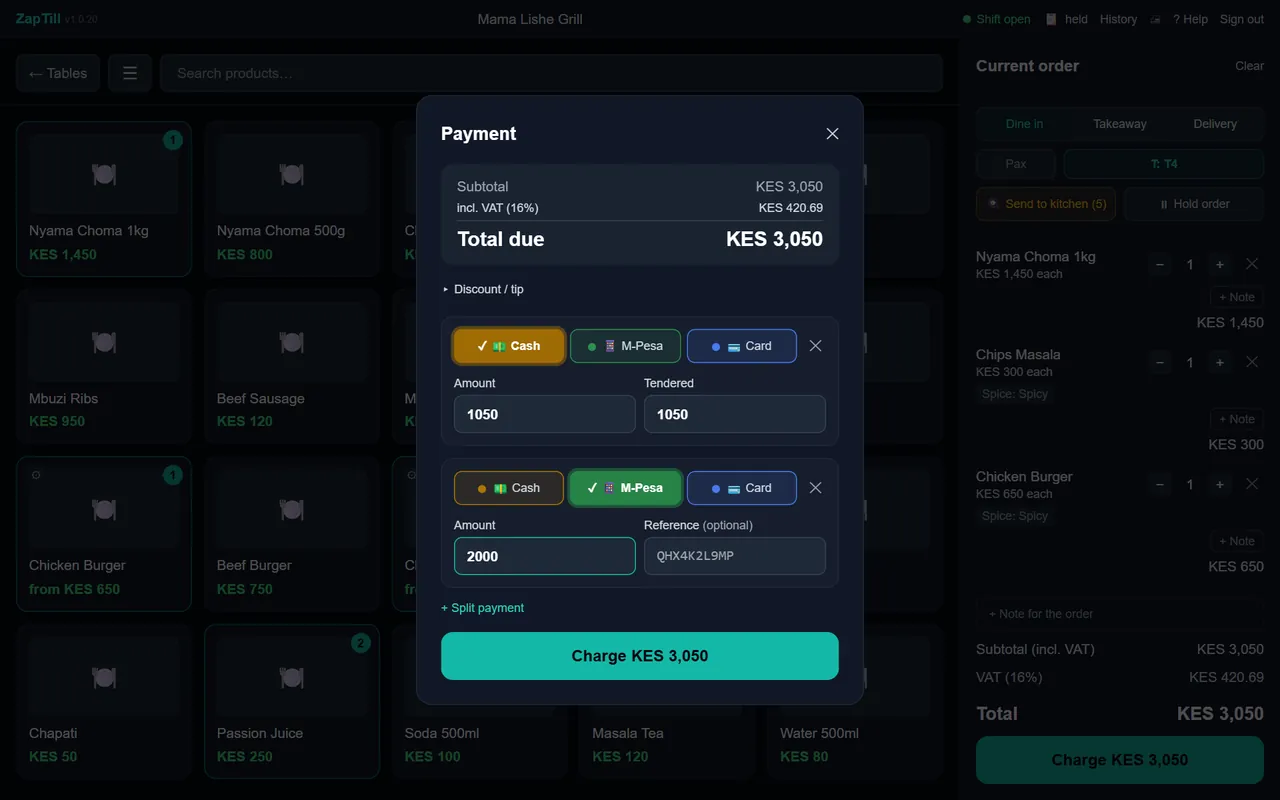
Big buttons in the groups you sell from, a split payment in two taps, and an order that can be held while the customer decides. The till keeps selling with no internet.
The wrong bag goes to the wrong customer.
The dispatch ticket lists everything for the order and counts the bags, with the order number on top, so the packer matches bag to ticket.
Combos confuse the kitchen.
A combo lists its parts on the kitchen ticket, and a variant sits on the item's own line: "Chicken Burger - Spicy". The cook reads it once.
Offers are worked out on a calculator.
With ZapTill Online, set up an offer once and the till applies it. The receipt prints the offer by name, and it shows in the day's figures.
Riders' fees disappear from the drawer.
A delivery fee can go on the bill, and money paid to riders from the drawer shows on the shift report, rider by rider.
The ticket the packer checks the bag against
Every order prints a dispatch ticket with its number, the order type and every item, drinks included. The footer counts the bags. These are the real tickets ZapTill prints, for a demo order.
The customer's receipt carries your Buy Goods or Paybill number, printed large, so M-Pesa is quick at the counter.
Know your rush before it arrives
With Analytics you see what sells in each part of the day and the top 3 at every hour, so the fryer is loaded before the queue forms. In the demo, lunch is 36% of everything sold.
Example from a demo restaurant
- Chapati · Beef burger · Pilau
- Pilau · Beef burger · Chapati
Questions owners ask us
How do combos and variants print?
On one line where they can: "Chips Masala - Spicy" on the receipt and the kitchen ticket. A combo lists its parts under it, so the kitchen sees every piece and dispatch packs every piece.
Can I run offers?
Yes, with ZapTill Online. Set up an offer and the till applies it; the receipt prints each offer by name.
Do you handle delivery orders?
The till takes dine-in, takeaway and delivery orders. A delivery fee for the rider can go on the bill, and the shift report shows what was paid to riders.
Can different dishes go to different printers?
Yes. Each part of your menu can go to its own station: the grill, the kitchen, the bar or dispatch. The cook only gets what they cook, and the dispatch ticket lists everything that goes into the bag or onto the tray.
Do I need internet?
Not to sell. Your tills keep selling and printing receipts with no internet, and a branch server keeps every till in the shop in step. When the internet comes back, everything catches up by itself.
You need internet to see your numbers from somewhere else, and for the daily summary to reach you.
See your busiest hour on ZapTill.
We set it up on site, load your menu or stock, and train your team. Start with a message.
Also: restaurants and cafés, bars and lounges, shops and retail.